

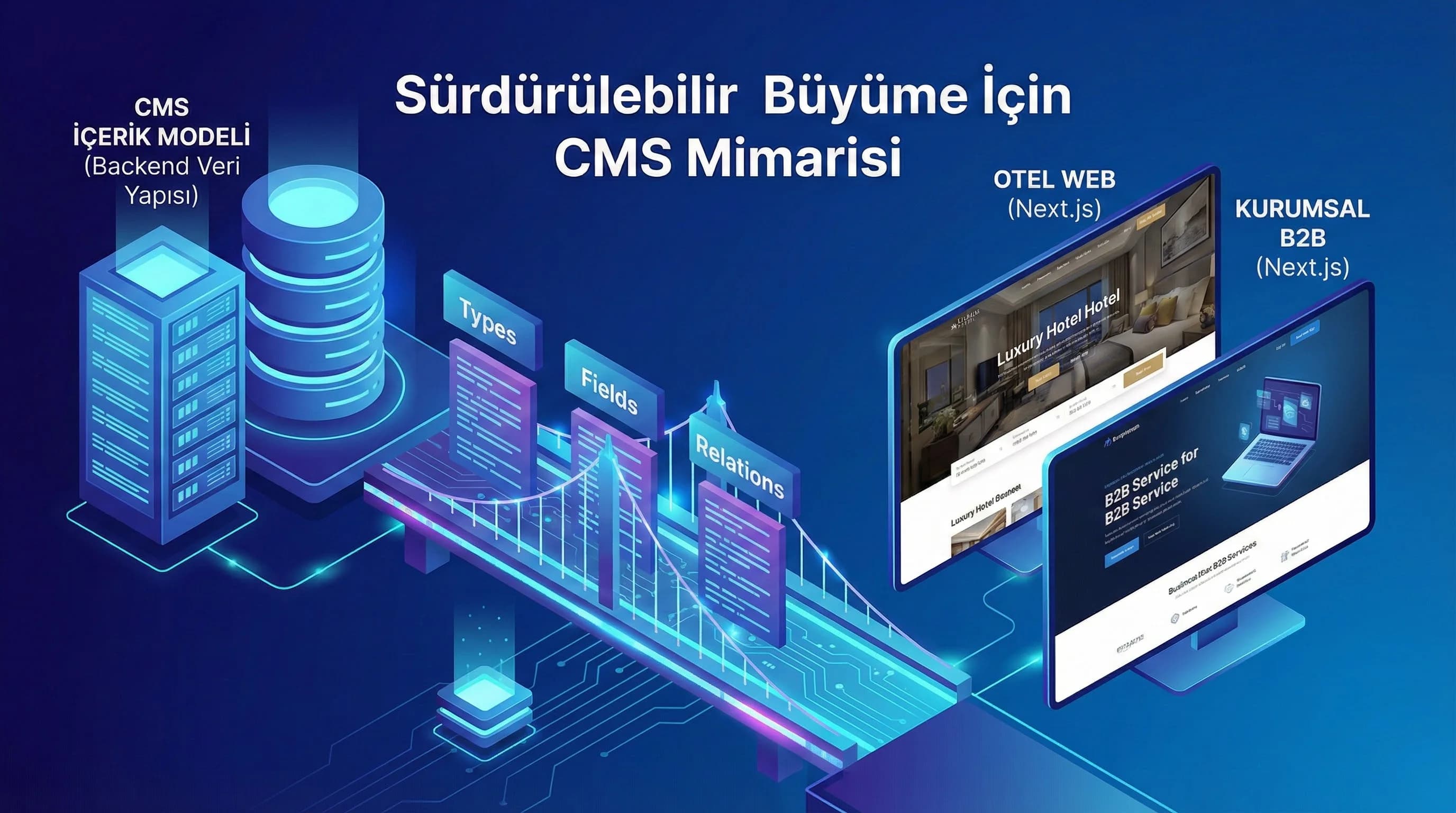
1. What is CMS Content Model?
CMS content model; It is the discipline of dividing content (page, blog, room, package, campaign, case study, etc.) into content types and defining the fields and relationships of each type. When this discipline is not well established; The editorial team sees different screens for each content, the development team writes new conditions for each page type, and on the SEO side, meta and schema become inconsistent. When set up well, the same content appears “clear in the dashboard”, “predictable in the code” and “more consistent in the SERP/SGE”.
The critical idea at this point is to think of CMS as a content contract of the product, not a "panel". Because page production in modern frameworks such as Next.js; It depends on the shape of the data, its requirements, localization and cache logic. The wrong model directly affects performance and sustainability.
Why does the CMS content model reduce the need for “rearchitecture”?
In sites whose content model is designed correctly at the beginning of the project, the need to "CMS is not enough, let's change the table" when adding new pages/features is significantly reduced. The reason for this is; Content types and field sets are designed to carry not only today but also a 6/12 month roadmap. The most expensive revisions “usually/in most projects”; URL/slug changes result from the late addition of relationship domains and late consideration of multilingual structures.
What is a CMS content model and how is it designed?
- •Inventory: What content exists and what will grow?
- •Contract: Which type requires which fields?
- •Governance: Who fills in which field, who approves it?
- •Versioning: How to migrate if the model changes?
What should I do?
- • Create a content inventory (page/blog/FAQ/case/room/package).
- • Mark the content types to be added in the 6/12 month roadmap.
- • Write the “required field set” (title, slug, summary, image, SEO).
- • Determine your relationship need (room→package, blog→service, case→sector).
- • Document the model and establish an approval mechanism.
2. Content Type Definition (Page, Blog, Room, Package, Reference, etc.)
Content type design, “how many menus are there on the panel?” not the question; Which content has different lifecycles and different templates? is the question. A content type; It represents both the editorial screen and the front-end template. If content types are mixed, the editorial team cannot find the right niche; The development team also writes code for "every possibility".
For which content should I open a separate content type?
- •Different template: The room page and the blog cannot be the same.
- •Different SEO areas: “Service page” and “FAQ” meta structure varies.
- •Different relationship: Relationships such as room→package→campaign are different from blog.
- •Different workflow: Case study approval process may differ from blog.
Sample content type set for hotel site
- •Room: capacity, square metre, features, gallery, price/CTA, season tag
- •Package: date range, inclusions, price band, terms
- •Destination: area, transportation, map, experiences
- •Campaign: teaser/launch/reminder areas, end date
- •FAQ: question/answer repetitive structure
- •Blog: category/tag, author, reading time, content blocks
Sample content type set for B2B corporate site
- •Service: problem–solution, process, deliverables, CTA blocks
- •Case Study: problem/intervention/result + KPI card
- •Reference/Partner: logo, sector, project type
- •Resource (Guide/Downloadable): asset management
- •FAQ: set of questions solving sales hurdles
- •Blog: thought leadership + how-to
What should I do?
- • List templates: which page uses which blocks?
- • Decide whether you want a separate type for each template or a “block-based” approach.
- • Define associated types early, such as room/package/destination.
- • Make reused content such as FAQ and cases a separate type.
- • Test the content team's panel experience (editorial UX).
3. Field Design (Text, Rich Text, Media, Relation, Localization)
Field design; “Which areas are there?” not, which fields are mandatory, which are optional, which are standardized? is the question. A good field set; It protects the editorial team (reduces incorrect data entry) and speeds up the front-end (reduces the need to write special conditions for each page).
How to determine mandatory/optional fields at field level?
The requirement is generally determined by three things: SEO, page template, workflow. For example, a “cover image” may be mandatory on a blog; but “Video” may remain optional. “Primary CTA” is required on the Service page; “Secondary CTA” may remain optional according to the roadmap.
Recommended field categories (general)
- •Identity: title, slug, locale, status (draft/published)
- •Content: summary, body (rich text / block editor), sections
- •Media: cover image, gallery, video, attachments
- •SEO: meta title, meta description, canonical, robots, OG image
- •Relations: category, tags, related posts, related services
- •Governance: author, reviewer, publish date, version
SEO/Meta fields (schema and SERP compliance)
The most common mistake in corporate projects: Mixing SEO fields with the content field. SEO fields should be standard in every content and include: Meta Title/Meta Description, Canonical URL (especially similar content), OG Image and social sharing fields, Index/noindex, follow/nofollow, Structured data triggers (e.g. is there a FAQ?). Compliance with Technical SEO Note: URL/slug standard, schema structure and multilingual hreflang approach should be part of the content model.
Media and relation fields: When are they necessary?
Do not think that media areas are finished by uploading images. Hero, OG, card images and gallery are different needs. Relationship fields strengthen both user experience and internal linking by connecting the contents: Blog → Service association (internal link targets), Room → Package, Destination relationship (hotel context), Case Study → Service, Sector relationship (B2B context).
What should I do?
- • Divide the field set into two as “core + optional”.
- • Standardize SEO/meta fields across all types.
- • Separate media spaces according to their purpose (hero/og/gallery).
- • Match the relationships with the “site architecture” (blog↔service, room↔package).
- • Multilingual structure + document slug/hreflang rule.
4. Sample Content Models for Hotel and B2B
This section covers the “advanced design” layer that most competitors skip: instead of just counting the content type, it clarifies the relationships and SEO contract that grow the model. Room/package/destination relationships in hotel projects; Service/case/reference relationships make a critical difference in B2B projects.
Hotel model example (Room–Package–Destination–Campaign)
The following model carries the "local page + experience + offer" architecture in Turkey, especially in destination-focused searches such as Antalya, Belek, Side, Kemer, Bodrum:
- •Room → (relation) Package (multiple)
- •Package → (relation) Campaign (optional)
- •Destination → (relation) Room / Package (multiple)
- •Blog → (relation) Destination / Service (multiple)
- •FAQ → reusable under both Service and Room
B2B model example (Service–Case Study–Reference–FAQ)
On the B2B side, the aim is; Breaking sales barriers with “service + proof + process + FAQ”:
- •Service → (relation) Case Study (multiple)
- •Case Study → (relation) Reference/Partner (multiple)
- •FAQ → Connects to services
- •Links to Blog → Services (authority → conversion path)
Sample content model table (1 table – compatible with Media Pack)
| Content Type | Required Fields (core) | Optional Fields | Relationships | SEO/Meta |
|---|---|---|---|---|
| blog | Title, Slug, Summary, Body, Cover | Author, Reading time, Video | Category, Tags, Related Services | Meta title/desc, OG, canonical |
| Service | Title, Slug, Problem/Solution, CTA | Secondary CTA, Proof blocks | Related Blog, Related Cases | Meta + schema trigger |
| Room (Hotel) | Title, Slug, Gallery, Features | Video, 360, Season tag | Packages, Destinations | Meta + Room/Hotel compatibility |
| package | Title, Date range, Inclusions | Price band, Terms | Rooms, Campaign | Meta + landing compatibility |
| FAQ | Question, Answer | category | Service/Room relationship | FAQPage compliance |
What should I do?
- • On the hotel side, first design the Room–Package–Destination relationship.
- • On the B2B side, establish the Service–Case–Reference trio as a “chain of evidence”.
- • Link the blog as a conversion path (blog→service), not just content.
- • Make FAQs type independent; Use in multiple places.
- • Document the model with a table + diagram.
5. Data Flow from CMS to Next.js
Even if the CMS model is good, teams will still struggle if the data flow and publishing architecture is not right. The purpose of Next.js is; It is to convert the data coming from CMS into a page in a predictable, cacheable, multilingual and SEO compatible way. Therefore, with the "schema-aware modeling" approach, the model and front-end contract should be considered together.
Data flow plan (recommended)
- •Draft/Preview: the content team sees a preview (staging/preview)
- •Publish: Cache invalidation (revalidate) runs when publish is triggered
- •SEO generation: meta + canonical + OG + schema come from the same contract
- •i18n: locale-based slug, hreflang and content fallback rules are determined
URL/Slug, hreflang, schema compliance (Technical SEO)
Content model; It should treat the slug as a URL contract, not just a “text field”. In multilingual projects, slug management becomes critical: for example, TR/EN contents are not exactly the same; hreflang logic and canonical rules must be defined from the beginning. Additionally, if schema types (FAQ/HowTo/Article/Service) are managed with "trigger fields" in the CMS, manual work on the front-end side is reduced.
Internal link compatibility: The infrastructure logic of this approach should be considered together with /software/website-and-software and content strategy /seo/content-seo.
What should I do?
- • Document the preview + publish flow (who approves what?).
- • Standardize schema triggers in CMS (is there a FAQ, is there a HowTo?).
- • Write and test the locale + slug + hreflang rule.
- • Determine revalidate/cache strategy according to content type.
- • Set up internal link targets (blog→service) as relations in the model.
6. Mini Section That Makes a Difference: Design the Model “Versioned”
Most competing content describes the CMS as just a “panel”; However, sustainability comes with versioning + migration + governance. “Adding a new content type” is inevitable; The important thing is to do this in a controlled manner. The model should be reviewed at least once a year (Refresh Cycle: 365); Field sets should be updated in a versioned manner as new content types and SEO needs arrive.
What should I do?
- • Version the model changes like “v1.0 / v1.1”.
- • Keep migration note: what happens to old content?
- • Set a field deprecate policy (deactivate instead of remove).
- • Update editorial guide and make training plan.
- • Create an annual model review calendar (365 days).
7. Download CMS Content Model & Field Checklist Template — Software / CMS content model
Download CMS Content Model & Field Checklist Template — Software / CMS content model (v1.0)
This asset; It accelerates content type + field + relation + SEO/meta control to establish the “less but correct” CMS content model in corporate web, hotel and B2B projects. It allows you to clarify in 30-60 minutes whether the model carries the roadmap and whether it is suitable for the Next.js data flow.
Kim Kullanır?
Content leader, product owner, technical lead, SEO expert and agency project manager.
Nasıl Kullanılır?
- Take out your existing content inventory and mark the types.
- Fill out the field checklist; Write the missing parts as “v1.1 backlog”.
- Implement regulations and measure KPIs with a 14-day sprint plan.
Ölçüm & Önceliklendirme (Kısa sürüm)
- ▢ ✅ Content inventory was created (page/blog/FAQ/case/room/package)
- ▢ ✅ Content type set divided by templates
- ▢ ✅ Required field set defined (title/slug/summary/body/cover)
- ▢ ✅ SEO/meta fields are standard in all types
- ▢ ✅ Relation fields match the site architecture (blog↔service, room↔package)
- ▢ ✅ Multi-language (locale) + slug + hreflang rule documented
- ▢ ✅ Preview/publish workflow net (editorial UX)
- ▢ ✅ Schema triggers (FAQ/HowTo/Article/Service) defined
- ▢ ✅ There is a model versioning plan (v1.0/v1.1)
- ▢ ✅ There is an annual review (365) calendar
PDF içinde: Problem→Kök Neden→Çözüm tablosu + 14 gün sprint planı + önce/sonra KPI tablosu
8. Conclusion: “Less but more” model brings speed + sustainability
When you set up the CMS content model correctly, the content team produces faster and error-free; On the Next.js side, page generation becomes more predictable; SEO/meta and schema outputs are consistent. The biggest gain is this: Even when the 6/12 month roadmap grows, the need for "re-architecture" decreases.
Bir Sonraki Adım
Create a clear, sustainable field plan for the content team + Next.js team in corporate web, hotel and B2B projects.