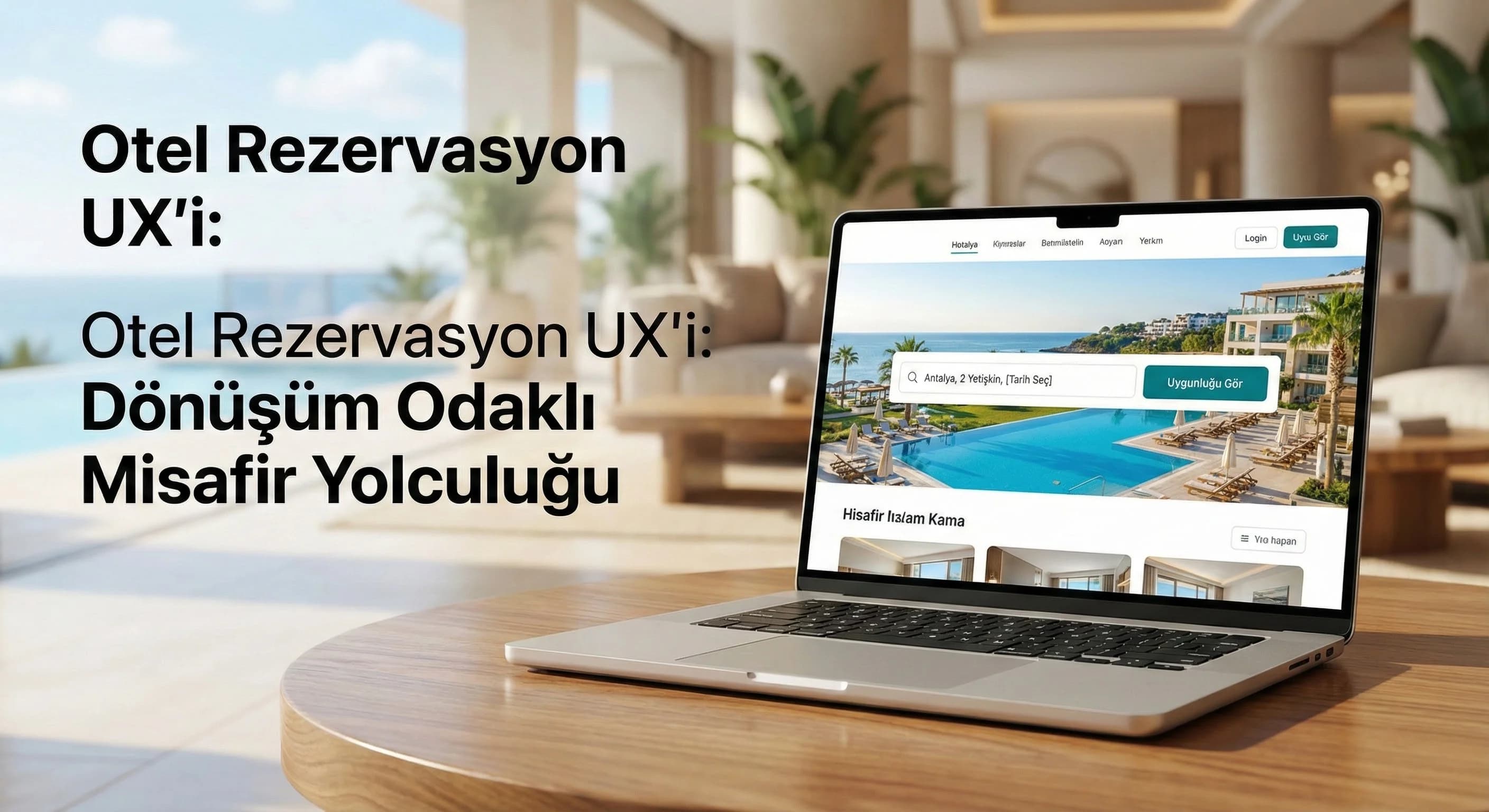
1. Why is hotel booking UX critical?
Booking UX is more than just the “look” of the hotel website; It answers three questions in the guest's mind at the same time: "Is it suitable for me?", "Are the prices and conditions clear?", "Can I pay here safely?" In resort hotels (e.g. family-oriented resort in Belek), guests usually look for packages/concepts; Speed and function are priorities in city hotels; In boutique hotels, the story and trust signal are more decisive. For this reason, a single “general checkout” approach is often not sufficient for the hotel.
- •Uncertain price: per person, per room, taxes included?
- •Room comparison is poor: “which one suits me?” The question remains unanswered.
- •Form load: redundant fields and long verification flows.
- •Payment trust: trust/cancellation conditions do not appear on the card screen.
Mini Check
- • Are the price components (tax/fee) clear on the first screen?
- • Can room differences (square meter, view, cancellation) be understood in 10 seconds?
- • Can it be loaded with one hand on mobile?
- • Is there a short confirmation text regarding cancellation/refund on the payment screen?
Mini example (Belek resort): When a user looking for a family room selects “2 adults + 2 children” and the room types are not automatically filtered or the child age policy is unclear, the guest tends to return to the OTA. The task of UX here is not to "overwhelm" the user with rules; to guide you to the right room and increase trust.
What should I do?
- • Standardize price transparency with a single-line “summary price” field.
- • Add the “top 3 critical differences” badge to room cards (cancellation, view, concept).
- • Cut mobile form fields in half; Collect unnecessary areas after booking.
- • Add 2 trust elements to the payment screen: “SSL/Secure payment” + “cancellation policy summary”.
2. The guest journey: from discovery to booking
Guest journey design is not a “series of pages” on the hotel website; It is a sequential flow of decisions. In the discovery phase, the user; The destination looks for concept and suitability. Compares room and price during the selection phase. If it experiences friction during the form phase, it gives up. If there is insufficient trust at the payment stage, they may switch to OTA "at the last moment" or call and return to the call center. Therefore, UX should be designed with the Reservation Funnel and Conversion Rate target; The measurement side should be planned at the very beginning (GA4).
Discovery phase – “Finding the right offer quickly”
The target in exploration; The guest gets the feeling that "it's suitable for me" in 10-20 seconds.
- •Resort (Kemer/Side example): concept (all inclusive), children's areas, beach, transfer.
- •City: location, transportation, breakfast, express check-in.
- •Boutique (like Bodrum): room story, experience, photo quality, trust (comments).
Mini Check (Discovery)
- • Does the first screen give “destination + concept + clear CTA”?
- • Is the date/person field visible and understandable?
- • Is the path to the room/offer page one click?
Selection phase – “Easier to compare”
Room cards should not have "too much information" but decision information: cancellation, breakfast/concept, view, bed type, square meters, extra fees. If the user gets lost within 6 cards, “indecision friction” occurs.
Microcopy (example):
- •“Free cancellation today” (net)
- •“Taxes included, no surprises” (trust)
- •“Ideal for the family: two separate bed areas” (persona)
Mini Check (Selection)
- • Are the “3 most critical differences” visible on the room card?
- • Is the room/person logic of the price clear in one sentence?
- • Is comparison (at least 2 rooms) possible?
Decision support (Trust & Proof) – “Using trust blocks in the right place”
Elements of trust; They are not badges scattered everywhere, but supports used where the decision becomes difficult: review/score on the room selection screen, cancellation policy summary on the form screen, secure payment information on the payment screen.
What should I do?
- • On the discovery screen, set a “single main CTA”: “Select date → See price”.
- • Simplify room cards to be decision-oriented: 6 information → 3 decision information.
- • Place trust blocks at the right moments: comment on selection, cancellation on form, secure checkout on checkout.
- • If there is a multilingual feed (TR–EN–DE–RU), update price/cancellation texts with localization, not literal translation.
3. How many steps should the hotel reservation process have?
Short answer: 3–4 steps is ideal for most hotels. The “few steps” goal alone is not enough; The aim is to reduce uncertainty by making a single decision at each step. Example ideal flow:
- •Availability (date/person)
- •Room selection (price + condition clarity)
- •Information (short form)
- •Payment (trust + verification)
At some properties (multi-package resort, multiple room selections) 4 steps may be mandatory; but 5+ steps generally increases drop-off. In industry examples, reducing the number of booking steps from 5 to 3 can increase conversion by 10–30% (results vary depending on channel, traffic quality and pricing policies; should be considered as a range).
3 sub-rules in step design
- •Single decision / single screen: If you select and upsell a room on the same screen, the decision load increases.
- •Returning should be safe: Selections should not be lost when the user returns to the previous step.
- •Offer a solution, not an error message: Instead of saying “Error field”, say “Phone format: 5xx…”.
Mobile and desktop behavior (practical distinction)
On mobile, the user is more impatient; One-handed filling, automatic keyboard types, short fields, and fast verification are critical. Comparison and detail are more tolerant on desktop. That's why the "minimum space" approach works better on mobile and the "decision support" approach on desktop.
Mini Check (Steps)
- • Does each step lead to a single decision?
- • Are elections protected upon return?
- • Are the keyboard types correct on mobile (email/phone)?
- • Do error messages suggest solutions?
What should I do?
- • Redraw the flow with a target of 3–4 steps; Separate “must-have” areas.
- • Reduce form fields on mobile; Collect unnecessary information after booking.
- • Define a single KPI for each step (drop-off, completion).
- • Improve clarity of “date/person” in availability screen (calendar UX + contact picker).
4. Basic UX principles in the booking flow
This chapter reduces the applicable principles for “booking funnel optimization” to the hotel context. The goal is to deliver clarity + confidence + speed on every screen.
Information architecture – first “critical”, then “nice-to-have”
Instead of a list of 20 features on the room card, provide 5 information with the highest decision impact:
- •Concept (BB/HB/AI) or is breakfast included?
- •Cancellation policy summary (short)
- •Are taxes/fees included?
- •Room size + bed type
- •Check-in/out hours
Microcopy – “language” is part of the transformation
Microcopy; button labels, field hints and small descriptions. It makes a difference in the hotel especially in the following three points:
- •Price description: “Total price (including taxes)”
- •Cancellation: “Free cancellation until X date”
- •Payment confidence: “Secure payment (SSL)”
Visual hierarchy – moving the guest's eyes to the correct order
Good hierarchy; It allows the user to see the price first, then the condition, then the CTA. If “everything seems to be at the same intensity”, the decision takes longer.
Mini Check (UX principles)
- • Do price + cancellation + CTA appear in the first 2 seconds on the room card?
- • Are the texts short and action-oriented?
- • Does “tax/fee” uncertainty remain?
What should I do?
- • Simplify room cards with a focus on “decision information”; Do not exceed 5 items.
- • Standardize microcopy: create 3 fixed templates for price/cancellation/payment.
- • Uniform CTAs: one main CTA, one secondary CTA on each screen.
- • Position “trust elements” as short proof text, not as badges.
5. Form, trust and payment step experience
The reservation form and payment screen are generally the "most abandoned" parts. At this point, the user has already selected the room and accepted the price; The only thing left is to “complete it easily” and “feel safe”.
Form design – reduce the number of fields, prevent errors
- •Name/surname, e-mail, telephone are sufficient in most cases (others may be optional).
- •Field types must be correct (phone field should open phone keyboard).
- •The error message should say "why" and show a solution.
Confidence elements – short, clear in the right place
On the payment screen; cancellation policy, confidentiality, secure payment information must be visible. Instead of “10 badges”, “2 clear trust messages + 1 short condition summary” is often more effective.
Checkout step – reducing friction (especially mobile)
- •One page checkout (if possible)
- •Keep required fields to a minimum
- •Micro copy that prepares the user for steps like 3DS
Mini Check (Payment)
- • Does the cancellation summary appear in 1–2 lines on the payment screen?
- • Is the secure payment message clear?
- • Is there a brief information before the 3DS step on mobile?
What should I do?
- • Classify form fields: “required” vs “ask later” (post-booking).
- • Add 2 lines of trust + 1 line of cancellation summary to the payment screen.
- • Test mobile payment flow separately; See if it can be completed with one hand.
- • If there is call center integration, make the “help/callback” option visible.
6. UX measurement and continuous improvement for hotels
Good UX is not “do it once and be done”; is the cycle of measure, correct, measure again. Here GA4 is the main tool that makes the booking funnel visible. The important thing is to measure progress step by step, not just “purchase” in GA4: date selection, room selection, form initiation, payment initiation, payment completion.
Strengthening the entity graph (natural bond): When you consider the concepts of Reservation Funnel + Hotel Website + Conversion Rate + GA4 within the same measurement framework, both intra-team decisions become clear and content authority increases. In addition, the process intersects with PMS & OTA and call center operations: the guest coming from OTA returns to the web, the guest stuck on the payment screen is connected to the call center.
Recommended basic set of KPIs:
- •Step drop-off (%): dropout rate at each step
- •Form completion rate
- •Payment initiation → payment completion rate
- •Mobile vs desktop conversion difference
- •Error rate (validation errors) and faulty area distribution
14-day UX sprint approach (practical rhythm)
- •Days 1–2: Measurement + drop-off analysis
- •Days 3–6: Select single friction (e.g. form field) and solve
- •Days 7–10: Testing + monitoring
- •Days 11–14: Conclusion + next sprint backlog
Mini Check (Measurement)
- • Are your funnel steps defined as events in GA4?
- • Are mobile and desktop reported separately?
- • Is there a 1 metric + 1 change weekly principle?
What should I do?
- • In GA4, set up reservation steps on an event basis (start/advance/abandon).
- • Improve a single “drop-off” point per sprint.
- • Connect PMS/OTA and call center touchpoints into the same journey.
- • Adapt price/cancellation language to market expectation on multilingual journey (TR–EN–DE–RU).
7. Mini section with a difference – PMS/OTA integration and multilingual guest journey
Many sources describe hotel booking UX as “generic e-commerce checkout”; But two critical layers are often missing in the hotel: 1. PMS/OTA reality: Availability, price, cancellation policies and packages are fed into the systems; If it is not clear on the interface, the guest will lose trust. 2. Multilingual flow: The same UX setup does not create the same perception in every market; In particular, cancellation, tax and payment texts should be prepared according to local expectations.
Destination example 1 – Belek resort flow:
For family-oriented users, “person/child age selection” should be clear; concept and free cancellation badges should appear on the room selection screen. Additional values such as “Transfer” should be presented on a separate upsell screen; It should not put a load on the main flow.
Destination example 2 – Bodrum boutique hotel flow:
The user looks for more visuals and confidence; Photo priority, comment/point blocks and short stories are effective in room cards. The trust element and cancellation summary are highlighted on the payment screen; “contact/help” access becomes visible.
Mini Check (Integration & Language)
- • Is the availability/price source (PMS/booking engine) “clear” in the interface?
- • Are the cancellation/taxes equally clear in every language?
- • Are trust blocks sufficient for the user coming from OTA?
What should I do?
- • Standardize the price/condition data coming from the system as a “single line summary”.
- • Correct multilingual texts with localization, not literal translation.
- • Add “web advantage” (flexible cancellation, special offer, call support) block against OTA competitor.
- • Strengthen your entity graph with internal links: • “hotel digital marketing” → https://dgtlface.com/en/hotel • “reservation management (PMS/OTA)” → https://dgtlface.com/en/pms-ota/reservation-management • “website development” → https://dgtlface.com/en/software/website-and-software • “web & software services” → https://dgtlface.com/en/software-development
8. 5 UX steps you can implement immediately (closing)
The purpose of this guide; It is not “perfect design” but measurable conversion increase. First simplify the flow, then increase confidence, then iterate with measurement.
- •Redraw the booking flow with a goal of 3–4 steps.
- •Simplify room cards by decision information (cancellation + price clarity + 3 differences).
- •Minimize form fields; Make it reloadable with one hand on mobile.
- •Add 2 lines of trust + cancellation summary to the payment screen.
- •Set up drop-off report with GA4; cure a single rub every 14 days.
9. Download Reservation Funnel Checklist — Creative / Hotel Reservation UX (v1.0)
Download Reservation Funnel Checklist — Creative / Hotel Reservation UX (v1.0)
This checklist is designed to quickly scan the booking funnel on your hotel website and identify the frictions that create the highest losses. With a 10-minute check, it creates a priority list under the headings "number of steps, price clarity, form load, payment confidence". Then, it allows you to translate the improvements into practice with a 14-day sprint plan.
Kim Kullanır?
Hotel owner / sales-marketing manager / agency manager and web team (UI/UX + dev + performance).
Nasıl Kullanılır?
- Complete your current reservation flow from start to finish on mobile and mark the checklist.
- Select the 3 areas that appear “red”; Write the root cause and solution for each.
- Implement one by one according to the 14-day sprint plan; Measure drop-off change in GA4.
Ölçüm & Önceliklendirme (Kısa sürüm)
- ▢ ✅ Is the flow completed in 3–4 steps? (risk if 5+)
- ▢ ✅ Is the price net "including taxes"?
- ▢ ✅ Is there a cancellation policy summary on the room card?
- ▢ ✅ Are mobile form fields minimal?
- ▢ ✅ Is there a 2 line trust + cancellation summary on the payment screen?
- ▢ ✅ Are GA4 events set up on a step-by-step basis?
- ▢ ✅ Are multilingual texts localized (TR–EN–DE–RU)?
- ▢ ✅ Are the conditions from PMS/booking engine clear in the interface?
- ▢ ✅ Is call center support visible (help/callback)?
PDF içinde: Problem→Kök Neden→Çözüm tablosu + 14 gün sprint planı + önce/sonra KPI tablosu
Bir Sonraki Adım
Clarify the points of loss in the booking flow and create an actionable improvement plan for your hotel team.
Frequently Asked Questions
How should hotel reservation UX be?▾
How many steps should the booking process have?▾
How do I simplify the booking funnel on my hotel website?▾
How to design a good booking page for hotels?▾
How should the reservation screen be on mobile?▾
How do I increase guest confidence at the checkout step?▾
How do I track the reservation funnel with GA4?▾
İlgili İçerikler
İlgili Yazılar