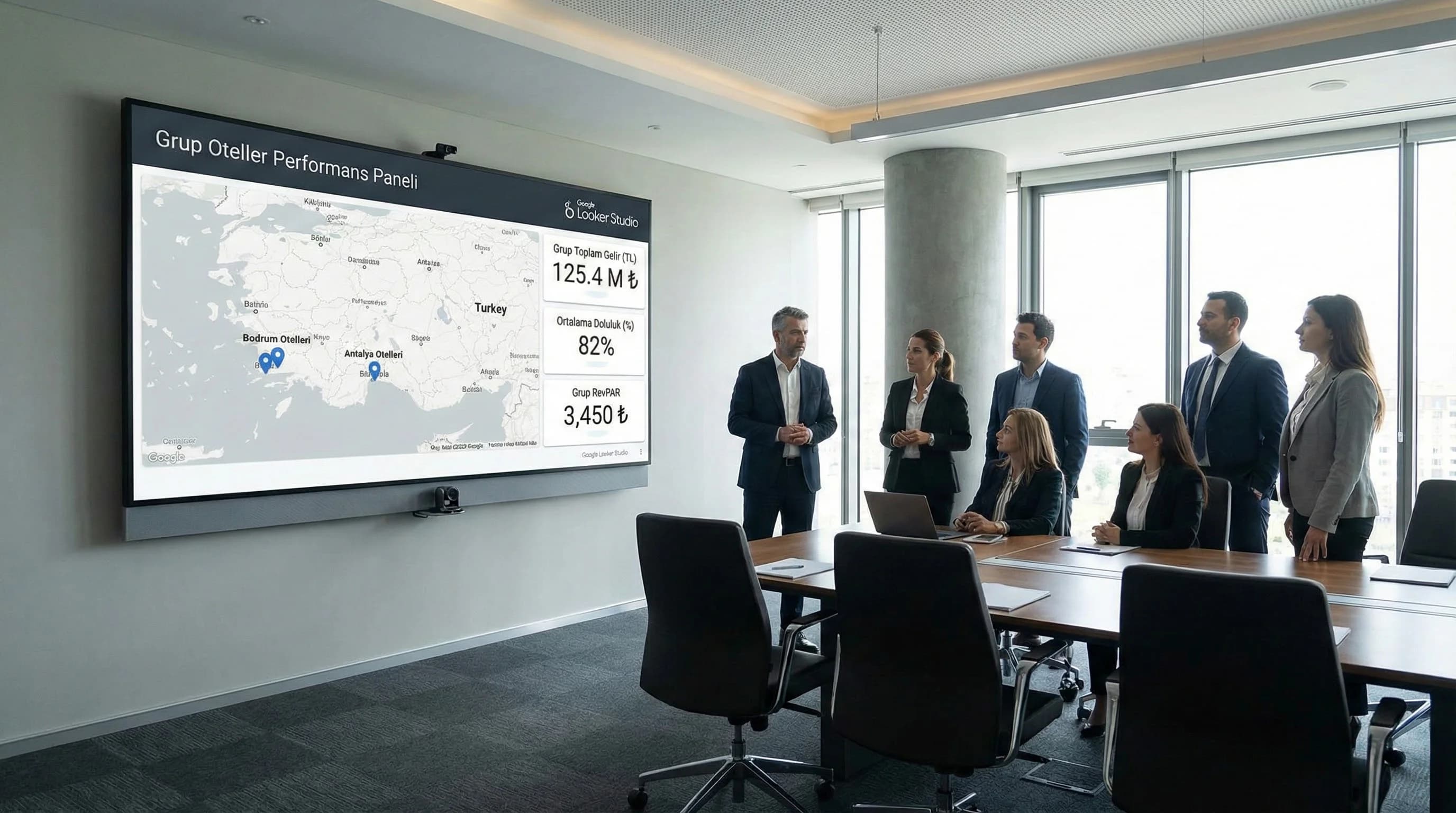
1. How should Looker Studio architecture be installed in multi-hotel buildings?
Establish the multi-hotel architecture with 4 parts: (1) Property-based data structure and common dictionary, (2) group KPI summary dashboard at the top, (3) hotel-based drill-down dashboard layers at the bottom, (4) role-based access and filter/view setup. In this way, the total group performance is visible on a single screen, and the details of each hotel can be accessed in a controlled manner.
4–5 item ideal model (summary)
- •Single KPI dictionary: Occupancy/ADR/RevPAR definitions fixed group-wide
- •Property ID standard: Each data source matches hotel ID
- •Layered report: Group Executive → Hotel detail → Channel/destination pages
- •Role-based access: Different view for management, sales, operations
- •Destination breakdown: GEO layer such as Antalya, Bodrum is included in the report
What should I do?
- •1. Lock the KPI dictionary first
- •2. Then set up the data model based on properties
- •3. Duplicate (scale) latest dashboard pages
2. Reporting needs for group and chain hotels (management-oriented)
The purpose of reporting in chain structures is not just "to see the performance"; is to accelerate the decision on resource allocation (budget, campaign, team). The investor/head office first wants to see the group total KPIs; then “which hotel is deviating from why?” It goes down to drill-down with the question:
Senior management KPIs (example):
- •Group total occupancy, ADR, RevPAR, revenue
- •Benchmark between hotels (best / weakest)
- •Destination based breakdown (Antalya vs Bodrum)
What should I do?
- •1. Design 1 page Executive (Board) panel
- •2. Plan a “drill-down link” for each KPI card
- •3. Make the benchmark page a separate layer
3. Organizing data sources based on property (data structure + naming convention)
The most critical issue in multi-property reporting is not the "proliferation of data sources"; regular reproduction. That's why the naming convention and property dictionary should be established from day one.
Property data model (practical approach)
- •Property ID: Unique code for each hotel within the group
- •Destination: Antalya, Bodrum etc.
- •Brand/Concept: resort, city hotel, butik vb. (if any)
- •Channel taxonomy: OTA/Web/Call Center/Agency standard
- •KPI definitions: ADR/RevPAR formulas fixed
Naming convention example (simple and scalable)
- •Data source: PMS_{PropertyID} / OTA_{PropertyID} / GA4_{PropertyID}
- •Dashboard: GROUP_Executive / HOTEL_{PropertyID}_Executive / HOTEL_{PropertyID}_Channels
- •Page names: 01_Executive, 02_Benchmark, 03_Channels, 04_Destination
Technical Note (plain): Subdomain / View / Filter approach
You can show all hotels in a single report with the property filter; However, complexity is reduced when there is a separate group report for management and a separate hotel report for hotel teams. Filters remain common, the view becomes simpler.
What should I do?
- •1. Create “Property dictionary” table (ID, destination, brand)
- •2. Lock channel taxonomy
- •3. Standardize report naming
4. Group and hotel level dashboard layers (design model)
The right layer separates the needs of management and the operation, abandoning the “one report is enough” approach.
Tier 1 — Group Executive (head office/board)
- •Group total KPI cards: occupancy, ADR, RevPAR, revenue
- •Top-5 / Bottom-5 hotels
- •Destination breakdown (Antalya + Bodrum)
Tier 2 — Hotel Executive (hotel GM page)
- •Hotel KPI summaries
- •Channel mix (OTA/Web/Call Center)
- •Trend and target deviation
Layer 3 — Drill-down (analysis pages)
- •Channel performance, market/country, segment/room type
- •Campaign / season comparison
- •Benchmark analysis
What should I do?
- •1. Restrict the number of metrics in the admin panel (12 KPIs)
- •2. Move analysis pages to drill-down
- •3. Be sure to add the benchmark page (group difference appears here)
5. User and access rights (User Role model)
Security and the "right screen to the right person" approach are essential in chain structures. Designing Looker Studio reports based on roles reduces missharing and confusion.
Role suggestion (example)
- •Board / Investor: Group Executive + Benchmark (limited details)
- •Head Office Management: Group + all drill-down
- •Hotel GM: own hotel + limited benchmark
- •Sales & Marketing: channel performance + campaign pages
- •Operation: occupancy, no-show, room type breakdowns (if available)
| Role | Appearance | KPI set (example) | authorization note |
|---|---|---|---|
| Board/Investor | Group Executive | Occupancy, ADR, RevPAR, revenue | Detail is limited |
| Head Office Management | Group + Drill-down | All KPI + benchmark | full access |
| Hotel GM | Hotel Executive | Hotel KPI + channel mix | Other hotels are limited |
| Sales & Marketing | Channel/Campaign | ROAS, CPA, funnel | Campaign focused |
| Operation | Operation panel | occupancy, no-show, room type | Sensitive income limited |
What should I do?
- •1. Create role-based report versions
- •2. Put sharing rules in writing
- •3. Open sensitive KPIs (net income, etc.) only to authorized roles
6. Multi-hotel sample dashboard scenarios (X hotel group case box)
Case Box Consider a chain with 5 hotels: 3 hotels in Antalya, 2 hotels in Bodrum. Group total occupancy and RevPAR appear in the Group Executive panel; Deviations between hotels are listed on the same screen. If RevPAR is decreasing in a hotel, the “why” becomes clear with the channel mix and market breakdown on the hotel drill-down page; Campaign/budget decisions are made faster.
What should I do?
- •1. Lock Property dictionary and KPI definitions
- •2. Release Group Executive on 1 page (pilot)
- •3. Duplicate hotel-based drill-down pages with a template
- •4. Enforce role-based access rules
- •5. Add the destination breakdown (Antalya/Bodrum) to the standard filter
7. Download Multi-Property Hotel Dashboard Sample Template — Data Analysis & Reporting (v1.0)
Download Multi-Property Hotel Dashboard Sample Template — Data Analysis & Reporting (v1.0)
This asset provides a ready-made template for the “group panel + hotel drill-down” layers in Looker Studio reporting for chain/group hotels. It provides quick installation with the Property ID dictionary, naming convention and role-based dashboard matrix. It scales the multi-hotel report by including destination breakdowns such as Antalya–Bodrum in the standard filter.
Kim Kullanır?
Chain GMs, head office managers, investor reporting teams, and agency reporting leaders.
Nasıl Kullanılır?
- Create the property dictionary (ID, destination, brand) and match the data sources with this ID.
- Duplicate the Group Executive and Hotel Executive pages from the template.
- Share report links according to role-based access matrix.
Ölçüm & Önceliklendirme (Kısa sürüm)
- ▢ ✅ Property ID dictionary ok
- ▢ ✅ Naming convention implemented
- ▢ ✅ Group panel is at the limit of 12 KPIs
- ▢ ✅ Role-based access links are reserved
- ▢ ✅ There is a benchmark page
PDF içinde: Problem→Kök Neden→Çözüm tablosu + 14 gün sprint planı + önce/sonra KPI tablosu
Bir Sonraki Adım
For chains that want to establish scalable reporting with KPI standards, property data models and access authorization in multiple hotels