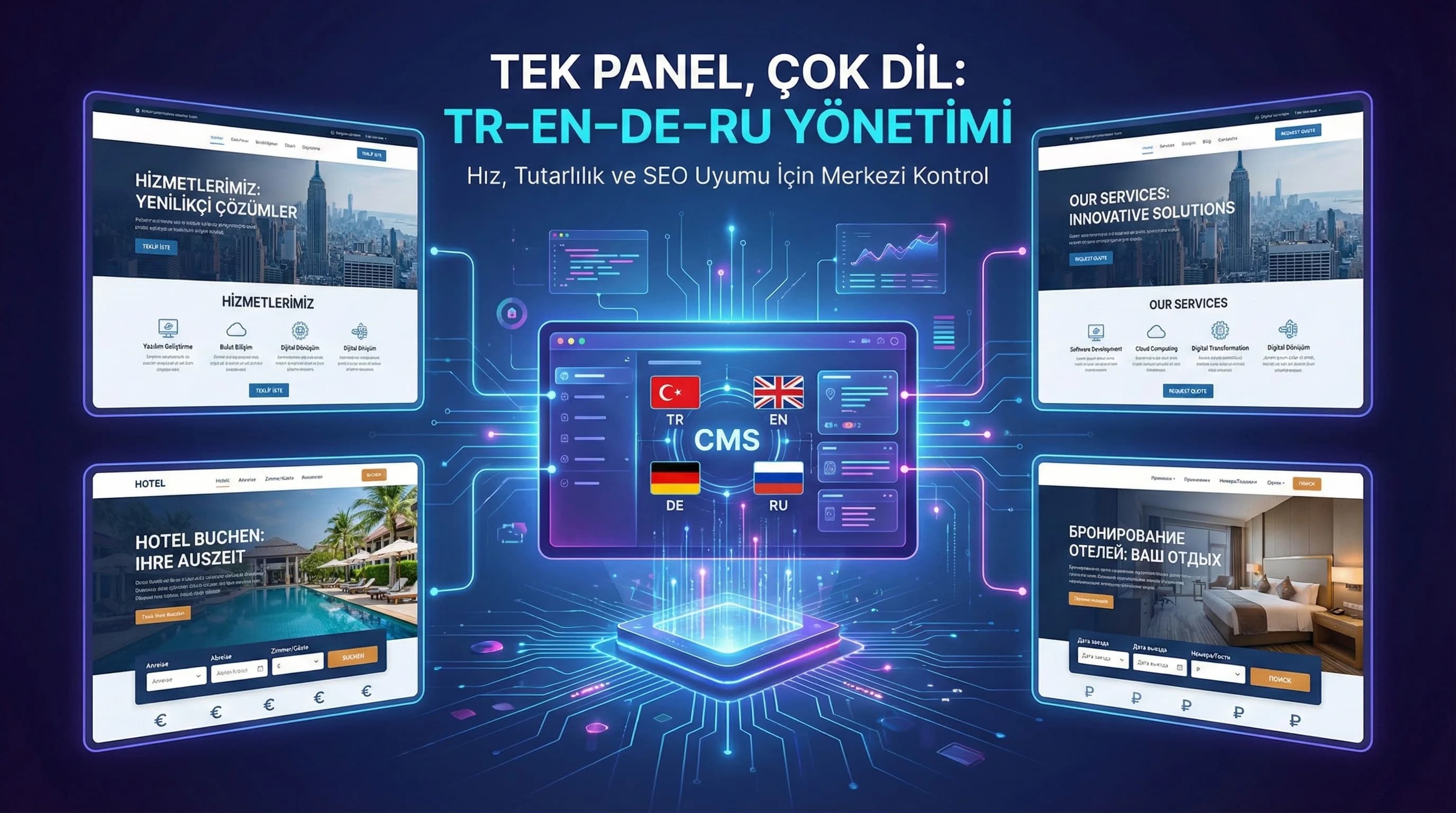
1. Multilingual CMS Architecture
The goal in multilingual CMS architecture is; Rather than dividing content into different languages, it is to manage multiple language variations around a single source of truth. Two main models are used for this: 1. Content type based locale fields 2. Separate entry approach for each language (separate entries per locale) Which one to choose; It is directly related to the number of content types, relationship density, editorial team capacity and your SEO/URL strategy.
How should multilingual CMS design be?
Short answer: First clarify your URL/locale strategy, then “locale fields or separate entry?” decide; standardize localized areas; Move the process into the panel with translation workflow, preview and hreflang QA. • If the contents are frequently linked (hotel: room→package→destination) locale fields may be advantageous. • If the content is very different in each language (market-based campaign, different offer/CTA), the separate entry approach may be more controlled.
☑ Mini Check:
- • Is the relationship between content intense? (room/package/destination)
- • Is the content the same in every language, or does it vary significantly by market?
- • Can the team manage “much space on one screen”?
What should I do?
- • Determine language/URL strategy (prefix /tr /en /de /ru).
- • Extract content types (page/blog/service/room/package/destination).
- • Select model: locale fields vs separate entry (create criteria table).
- • Plan preview + translation queue + QA steps.
- • Make hreflang and canonical rules “part of the model”.
2. Content Type Based Language Fields vs Separate Entry Approach
This decision determines the “livability” of your panel. Wrong choice; It tires the content team, imposes conditions on the development team, and increases SEO errors.
Locale fields approach (single entry, multi-language field)
Pros • Relationships are easier to manage (single entity, multi-language domain). • “Has the TR been updated?” Control is done on a single screen. • If the media/structure is common, it is fast. Cons • The panel can get complicated (many fields, many tabs). • It becomes difficult in case of language-based “very different content”. • Language-based management of fields such as Slug/URL requires clear rules.
Separate entry approach (separate registration for each language)
Pros • Each language develops independently (market-based content). • Workflow, publication and quality control are more clearly separated on the basis of language. • Situations like “DE content will use different CTA” are easy. Cons • Relationships increase (need for matching). • “What is the real content?” confusion may arise. • If synchronization (TR changed, what happened to EN/RU?) is not managed well, it will fall apart.
Decision table (practical guide for TR–EN–DE–RU)
| Criterion | Locale Fields | Separate Entry |
|---|---|---|
| Content structure is similar across languages | ||
| Different campaigns/CTA based on market | ||
| Relation density (hotel) | ||
| Editorial team experience | ⚠️ (UI confusion) | ✅ (simpler) |
| QA and release control | ✅ (on one screen) | ✅ (by language) |
☑ Mini Check:
- • “The content is the same, just the language is different”? → Local fields
- • “The offer/CTA is different in every language”? → Separate entry
- • “Relationship too intense”? → Locale fields are often more convenient
What should I do?
- • Score (0–3) the “level of language difference” for each content type.
- • If the average is low, select locale fields, if it is high, select a separate entry.
- • Use a hybrid of the two approaches (e.g. blog locale fields, campaign separate entry).
- • Document the model; Provide in-team training.
- • Rewrite your migration plan.
3. Language Switcher and Preview
The most critical use moment in a multilingual CMS is this: the content team asks “What will the page look like?” He wants to look. If there is no preview; Errors are seen live.
Minimum requirements for preview design
- •Locale selection (TR/EN/DE/RU)
- •Draft preview (pre-release)
- •“Incomplete translation” warning (publish gate)
- •Slug and meta dashboard (quick QA)
☑ Mini Check:
- • Is there a preview link in every content type?
- • Is publishing blocked with incomplete translation?
- • Are slug/meta fields visible on a single screen?
What should I do?
- • Add the language switcher to the edit screen (tab or dropdown).
- • Make draft preview a mandatory step.
- • Set up “missing field” validation (especially meta and slug).
- • Add language based diff display (TR↔EN change comparison).
- • Create a rapid post-release rollback plan.
4. Translation/Localization Workflow
The biggest operational burden in multilingual projects is managing translation outside the panel. When the process is carried out using Excel and e-mail; It is unknown which content is "awaiting translation" and which is "awaiting QA". In-panel workflow; It manages content production with queue logic.
Translation process (internal team, agency, machine translation)
- •Internal team: brand tone high, pace medium
- •Agency: high capacity, requires brief
- •Machine + edit: speed is high, QA is a must
Ideal practice: produce the machine translation as a “draft” and add a layer of localization with the editorial team or agency (especially in CTA and cultural references).
"Translation pending" views in CMS
The following views on the panel make the operation dramatically easier: • “EN missing fields” (title/body/meta/CTA missing) • “DE ready for QA” • “RU published but outdated” • “Needs legal/compliance review” (KVKK sensitive content)
For which fields should I open a separate language area?
Short answer: Every text visible to the user and every field that produces an SEO signal should be localized: title, slug, body, meta, CTA; also navigation tags and schema texts.
Recommended areas to localize: • Title/H1, body, summary • Slug (according to your language strategy) • Meta title/description, OG texts • CTA texts (especially by market) • FAQ questions/answers • Hotel: room features, package inclusions, destination descriptions
| Area | Is it mandatory? | Notes |
|---|---|---|
| Title/H1 | Compulsory | The main text visible to the user |
| slug | Compulsory | The slug rule must be clear (translation or translit?) |
| Body (rich text) | Compulsory | Requires translation + localization layer |
| Summary/Excerpt | Compulsory | Listing and sharing surface |
| Meta Title | Compulsory | Generates SEO signal |
| Meta Description | Compulsory | Generates SEO signal |
| CTA (Primary/Secondary) | Compulsory | Requires adaptation specifically to the market |
| FAQ (Question/Answer) | Compulsory | AEO/SEO and user trust |
| Schema text fields (if any) | Compulsory | Critical for SEO alignment |
| Navigation labels | optional | Information architecture and UX |
| Visual alt text (locale based) | optional | Accessibility and visual SEO |
| OG texts | optional | Sharing surfaces |
| Download asset texts | optional | Multilingual use of downloadable assets |
☑ Mini Check:
- • Are meta and CTA fields also translated? (forgotten in most projects)
- • Is the slug rule clear? (translation or translit?)
- • Is there an “Updated but not translated” flag?
What should I do?
- • Define localized fields as “required sets” (title/body/meta/CTA).
- • Manage translation statuses with status (draft/needs-translation/qa/published).
- • Add TR change trigger for outdated translation detection.
- • If the agency is running, set up an in-panel task/tag flow.
- • Standardize language-based QA checklist.
5. TR–EN–DE–RU Panels for Hotel and B2B
Relationship density (room/package/destination) and seasonal pressure in hotel projects; In B2B projects, service/case/lead funnel content is at the forefront. Common risk for both: SEO incompatibility (hreflang, canonical, slug) and operational disorganization.
Practical suggestions for the hotel
- •Locale fields for room/package/destination are often more stable (relation is managed by decreasing).
- •If the campaign contents are different depending on the market, a separate entry may be better.
- •Destination names and media; It should be managed by a language-based rule set (e.g. alt text/OG).
Practical advice for B2B
- •CTAs on service pages may vary depending on the market: separate entry or locale field + CTA override.
- •KPI and evidence texts in case contents require “translation + adaptation” (localization).
- •The “outdated” flag is the control mechanism that produces the most value in blog content.
☑ Mini Check:
- • Are the "room/package/destination" relations in the hotel unique and consistent?
- • Are CTAs correct per language in B2B?
- • Is there outdated translation detection?
What should I do?
- • In the hotel, relation-intensive types of locale fields; Use a separate entry for market-specific campaigns.
- • Test service CTAs on a language basis in B2B; Put at least one QA approval.
- • Move the language-based “missing/outdated” view to the main dashboard of the panel.
- • Plan the release schedule “language-wise” (EN/DE/RU sprint).
- • Write procedure for adding new language (review in 365 cycles).
6. (Mini Section That Makes a Difference) Close the Competitor Gap: Move Excel/E-mail Operation Into the Panel
In projects that do not have a multilingual CMS, translation and update processes usually work with Excel + e-mail; This produces significant operational burden and error. What makes the difference; is to treat translation not as “a file job” but as a process (queue + status + QA) managed within the panel. In projects structured like this, adding new languages and updating existing content becomes much more predictable.
☑ Mini Check:
- • Is there a "translation pending" list on the panel?
- • Is the QA step defined?
- • Is the hreflang/canonical check hooked into the routine?
What should I do?
- • Standardize translation states with status.
- • Install the missing/outdated dashboard.
- • Make Preview + diff screen a mandatory step.
- • Add SEO fields (meta, slug) to QA checklist.
- • Update processes on a 365 day cycle (new market/language).
7. TR–EN–DE–RU Download CMS Locale & Workflow Planning Template — Software / Multilingual CMS (v1.0)
TR–EN–DE–RU Download CMS Locale & Workflow Planning Template — Software / Multilingual CMS (v1.0)
This template; TR–EN–DE–RU allows you to quickly plan locale areas, translation workflow and QA control set for hotels and B2B brands that want to manage content from a single panel. It aims to reduce "publication with incomplete translation" and SEO/hreflang errors by moving the Excel/e-mail process into the panel.
Kim Kullanır?
Content leader, agency operations manager, SEO expert and technical lead.
Nasıl Kullanılır?
- Fill in the content types and language strategy (prefix /tr /en /de /ru).
- Check the localized field set (title/slug/body/meta/CTA) and select the model (locale fields / separate entry).
- Define the translation queue + QA + preview steps and fix the publication rules.
Ölçüm & Önceliklendirme (Kısa sürüm)
- ▢ ✅ Target languages selected (TR/EN/DE/RU)
- ▢ ✅ URL strategy net (/tr /en /de /ru prefix)
- ▢ ✅ Slug strategy selected (translation / translit / TR slug fixed + hreflang)
- ▢ ✅ Model selected (Locale Fields / Separate Entry / Hybrid) and justification written
- ▢ ✅ Mandatory localized field set checked (title/slug/body/summary/meta/CTA/FAQ/schema)
- ▢ ✅ Workflow status set defined (Draft → Needs Translation → In Translation → QA → Ready to Publish → Published)
- ▢ ✅ Outdated rule active (Other languages are Outdated when TR is updated)
- ▢ ✅ Preview is mandatory
- ▢ ✅ Publish gate: publication is blocked if there is a missing field
- ▢ ✅ QA checklist: no slug/meta/CTA/hreflang/canonical/missing fields
PDF içinde: Problem→Kök Neden→Çözüm tablosu + 14 gün sprint planı + önce/sonra KPI tablosu
8. Result: One panel, multi-language — speed + consistency + SEO security
TR–EN–DE–RU manage content from a single panel; It both increases operational speed and reduces SEO/localization errors. With the right model selection (locale fields vs separate entry), solid workflow and preview/QA layer; multilingual growth becomes a sustainable system.
Bir Sonraki Adım
TR–EN–DE–RU is for teams that want to move their content operation into the panel and gain speed and consistency.
Frequently Asked Questions
How should multilingual CMS design be?▾
How can I manage TR–EN–DE–RU content from a single panel?▾
For which fields should I open a separate language area?▾
How do I track the translation/localization process within CMS?▾
Are local fields or separate entries better?▾
What is the most common mistake in multilingual SEO?▾
İlgili Yazılar