
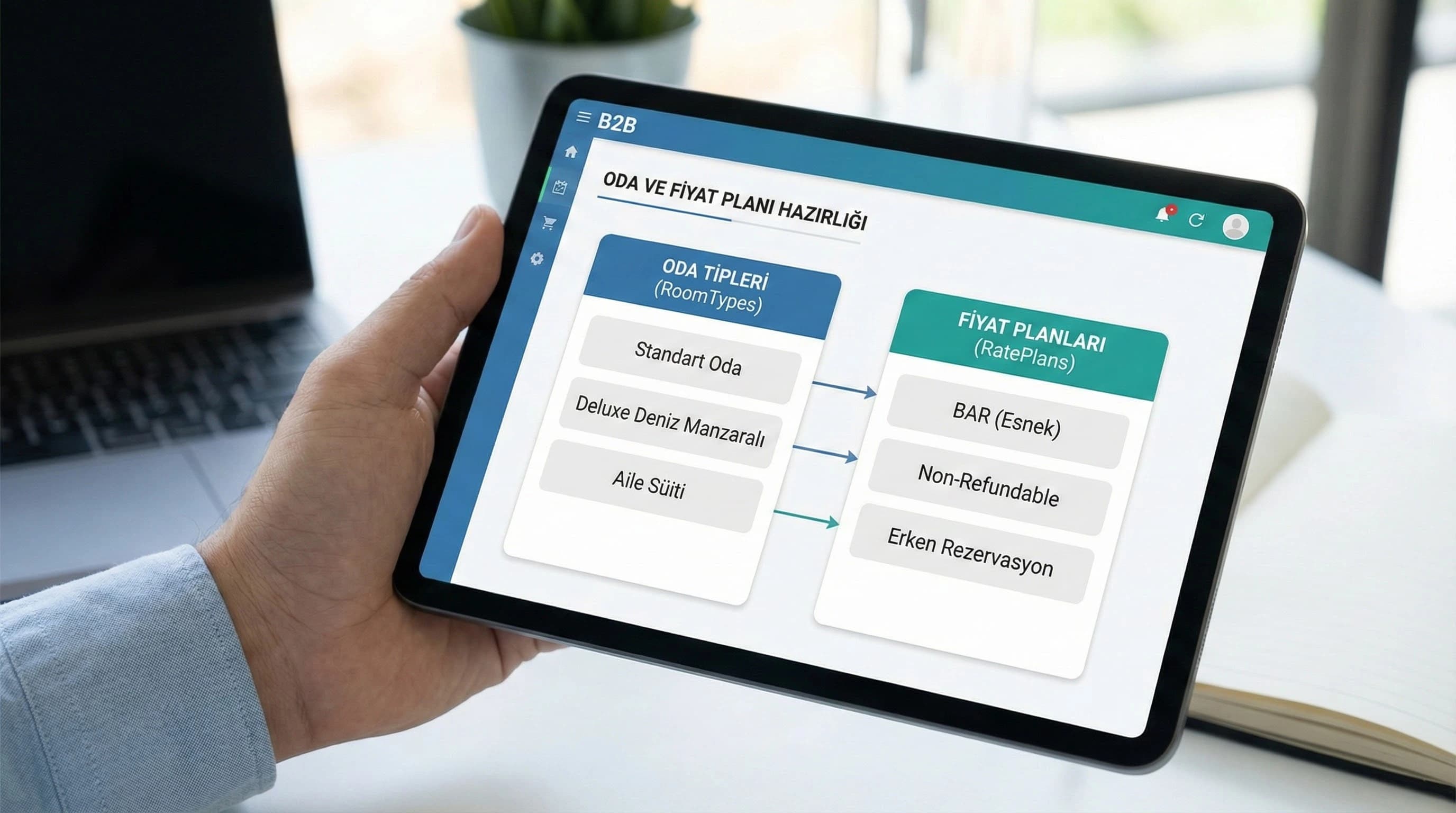
1. Clarify the installation flow: mapping + testing = quality
The goal of this guide is not to “count panel steps”; It is about establishing a discipline that will catch errors before they go live. Quality of integration; Mapping accuracy is measured by the test booking matrix and the first 30 days monitoring cadence.
2. Preparation of Booking and Expedia accounts
Before setup begins, your “definitions” should be clear in Booking and the Expedia extranet. Because mapping is linked to definition; If the definition is blurry, the mapping will also be blurry. If you make this preparation correctly, decisions will be accelerated on the PMS and channel manager side.
- •Room types: In the resort scenario, the main room + variations (view, capacity, concept) should be defined simply.
- •Price plans: Plans such as refundable / non-refundable / early booking / last minute should be placed on the naming standard.
- •Policies: cancellation, prepayment, minimum stay and package contents should be clarified.
- •Market/market combinations: e.g. If certain markets in Antalya/Belek have different minimum night rules, it should be written down.
Mini Check: Extranet readiness check
- • Are room type names clear enough to be compatible with PMS/CM?
- • Are rate plans (refund/non-refund/promotion) separate?
- • Are cancellation and prepayment policies written?
- • Has the min stay / stop-sell approach been determined?
What should I do?
- • Simplify room types with a “sellable product” mentality.
- • Standardize rate plan names (same logic on every channel).
- • Put the policies and constraints in a table and approve them with the team.
3. PMS and channel manager settings: connection and roles
There are two critical decisions at this stage: (1) What is the only source of truth? (Is the price/restriction in PMS or channel manager?) (2) Who manages which panel? (RM, reservations, front desk, agency/IT). General practice: PMS becomes the reality of the operation, the channel manager is the distribution and rules engine. The important thing is not to write rules in two places.
Minimum set for connection installation
- •PMS ↔ Channel manager API/connector activation
- •Channel list: Booking + Expedia (and others if available)
- •Update frequency/latency expectation (in minute level)
Mini Check: Single panel discipline
- • Will price/restriction changes be made from a single panel?
- • From which system will room availability (inventory) be updated?
- • Will update latency be measured? (go-live KPI)
What should I do?
- • “Who controls what and from where?” Write the document on one page.
- • PMS operation; Position CM as the distribution/rules engine.
- • Set a latency measurement target before go-live.
4. Room & rate mapping: step by step installation list
How to integrate Booking and Expedia? (5–7 steps)
- •Match room types (RoomType): Link room types in PMS/CM to their room counterparts in OTA.
- •Match rate plans: Link BAR, refundable, non-refundable, promotional plans to OTA rates.
- •Define the restriction set: Determine how restrictions such as min stay, stop-sell, CTA/CTD will be distributed to which channels.
- •Verify tax/commission logic: net/gross price approach and check included/excluded items.
- •Lock inventory update rule: make clear salable room logic, allotment and closing procedure.
- •Perform a “mapping audit” with sample combinations: create a quick verification table for each room type × each rate plan.
- •Move to the test booking stage: run all critical scenarios before going live.
Relational expression: RoomType → mappedTo → OTA Room, RatePlan → mappedTo → OTA Rate; TestReservation → validates → mapping + restriction + cancellation flow.
| RoomType | RatePlan | booking test | Expedia test | Cancel | modification | Notes |
|---|---|---|---|---|---|---|
| Room A | BAR | Drop to PMS + price confirmation | ||||
| Room A | Non-refundable | Prepayment/payment rule check | ||||
| Room B | BAR | Capacity/concept variation validation | ||||
| Room B | promotion | Parity + rule distribution control |
Mini Check: Mapping verification
- • Is each room type matched to the correct product on the OTA?
- • Is each rate plan linked to the correct price logic?
- • Are restrictions consistent on a channel-by-channel basis?
What should I do?
- • Conduct mapping with two separate checklists: "room" and "price".
- • Simplify plans rather than multiply promotions.
- • Run a channel-based mini-test for “constraints” at least once.
5. Test reservations and error scenarios (critical section)
Most competing content stays superficial here: it says “test” but doesn't tell you what to test. The part that makes the difference should be your test booking matrix and error scenario procedure.
Minimum test set (per hotel)
- •Test-1: Room type A + Rate plan BAR → reservation → PMS drop control
- •Test-2: Room type A + Non-refundable → payment/prepayment logic check
- •Test-3: Min stay rule → Does it behave correctly in OTA?
- •Test-4: Stop-sell → does the sale close, how long does it take to close?
- •Test-5: Cancellation → Is OTA cancellation reflected correctly in PMS?
- •Test-6: Is the date change / modification → rate difference and availability update correct?
Error scenarios (resort facts)
- •Wrong price appears → RatePlan mapping/taxes/rounding
- •The sale does not close → stop-sell distribution is delayed or written from the wrong panel
- •Overbooking risk → inventory update/two panel conflict
- •Cancellation flow broken → connector setting/reservation status mapping
Mini Check: Test discipline
- • Has every room × every rate plan combination been tested?
- • Has the cancellation and modification flow been checked?
- • Have stop-sell and min stay restrictions been verified?
What should I do?
- • Plan tests with a “combination matrix” (room × rate).
- • When you catch an error, first check the mapping and then the taxes/restrictions.
- • Before going live, the "test report" should be written.
6. Go live and monitoring for the first 30 days (stabilization plan)
Going live is not a technical “switch”; is the stabilization process. Especially in the first 7–14 days, small errors can quickly escalate. Therefore, monitoring rhythm and sharing of responsibility are essential for the first 30 days.
First 30 days monitoring KPI set (practical)
- •Number of overbooking incidents (weekly)
- •Price consistency check (spot-check)
- •Update latency observation
- •Cancellation/modification flow accuracy
- •Channel-based net ADR (post-commission perspective)
Data point in case language (smoothed): With correct room & rate mapping, overbooking and price inaccuracies are significantly reduced; In hotels where the testing process is skipped, there is usually a need for more intensive support and correction in the first week.
Mini Check: Post-go-live check
- • Is there a weekly spot price check?
- • Are cancellation/modification instances logged?
- • Does the operations team know the “shutdown procedure”?
What should I do?
- • Set a “daily 10-minute check” rhythm for the first 30 days.
- • Extract the error matrix and close recurring root causes.
- • Support team training with internal links (pms setup + channel management).
7. Booking & Expedia Setup and Test Checklist — PMS & OTA Management
Booking & Expedia Setup and Test Checklist — PMS & OTA Management (v1.0)
This document is designed to help you manage room/rate mapping accuracy and test reservation scenarios on a single page before going live with the Booking and Expedia integration. The aim is to catch price errors, closing rule malfunctions and cancellation flow problems early, which may create a "first week crisis" after the go-live. As a result, your team sees less reactive support and faster stabilization.
Kim Kullanır?
RM, reservations manager, front desk lead, and agency/IT managing the integration.
Nasıl Kullanılır?
- Remove the room types + rate plan list from PMS/CM.
- Verify each combination with mapping and testing matrix.
- Complete all scenarios before go-live with a 14-day sprint plan.
Ölçüm & Önceliklendirme (Kısa sürüm)
- ▢ ✅ Single source truth determined (PMS or CM?)
- ▢ ✅ RoomType list is simple and compatible with sales logic
- ▢ ✅ RatePlan list (BAR/refund/non-refund/promotion) standardized
- ▢ ✅ Tax/fee included-excluding logic is clear
- ▢ ✅ Restriction set (min stay/stop-sell/CTA/CTD) written
- ▢ ✅ Booking test set is ready
- ▢ ✅ Expedia test set is ready
- ▢ ✅ Cancel + modification flow verification steps are ready
- ▢ ✅ Latency observation target (minutes) was determined
- ▢ ✅ First 30-day monitoring KPI set determined
PDF içinde: Problem→Kök Neden→Çözüm tablosu + 14 gün sprint planı + önce/sonra KPI tablosu
8. Result: Smooth go-live is the “mapping + testing + monitoring” discipline
Success in Booking and Expedia integration does not depend on a single settings screen. When the standard definition of room and rate plans, room/rate mapping accuracy, test reservation discipline and first 30-day monitoring rhythm work together; The risk of incorrect prices, closing errors and overbooking is significantly reduced.
Bir Sonraki Adım
Speed up the installation, mapping and testing process according to your hotel's room types.
Frequently Asked Questions
How to integrate Booking and Expedia?▾
What are the room and rate mapping steps?▾
Why is test booking important in OTA integration?▾
What should be tested before going live?▾
What happens if the testing process is skipped?▾
What is the most critical mapping risk in resort hotels?▾
Which tests are extra important in destinations like Antalya/Belek?▾
İlgili İçerikler