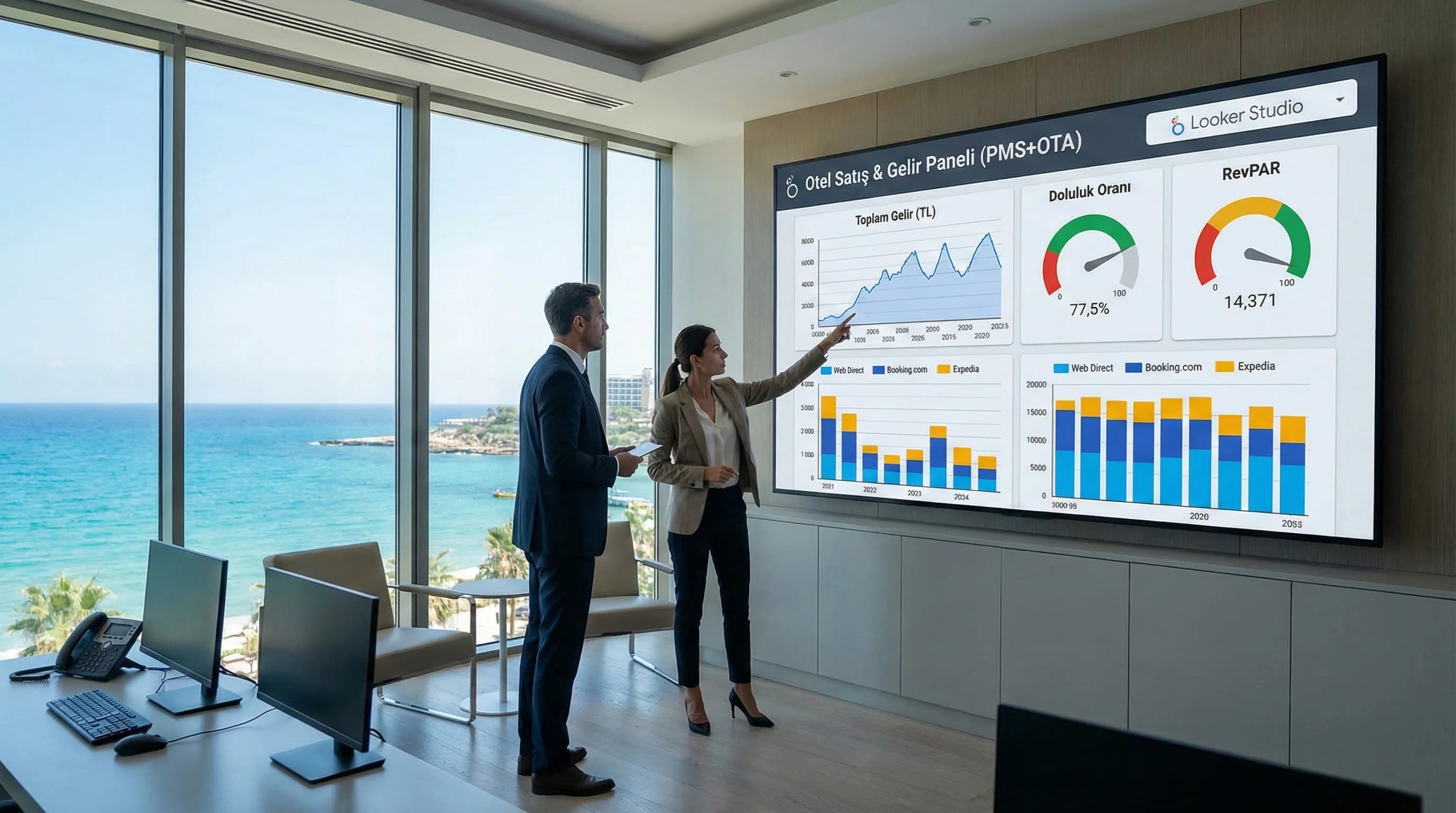
1. The role of PMS and OTA data (the “real” side of the sale)
GA4 and Ads data show the “demand and digital behavior” side; but in hotel sales the essence of the decision is the reality of PMS/OTA revenue. Because “clicks and conversions” may not always mean “check-in and net income”. Revenue signals such as cancellation/no-show, commission, room type distribution and country breakdown often live in PMS/OTA.
Mini example (Antalya/Bodrum context): While web booking seems to be increasing during peak season, if no-shows are on the rise in PMS; On the revenue side, the strategy should turn to "quality" rather than "volume". Seeing this distinction in a single panel prevents incorrect optimization.
☑ Mini Check: • Do you consider channel-based revenue as “realized revenue”? • Do you monitor cancellation/no-show rates in the channel breakdown? • Do you take the commission effect into account in the net income calculation?
What should I do?
- • 1. Clarify the definition of “single true income” in PMS/OTA
- • 2. Standardize channel, country, room type breakdowns
- • 3. Configure GA4/Ads as the “demand” layer and PMS/OTA as the “result” layer
2. How do you connect PMS and OTA data to Looker Studio?
Short answer: First, prepare critical fields (date, room type, channel, country, revenue, cancellation/no-show) from PMS and OTA in a standard export format. Then move it to Looker Studio via the appropriate connector/middleware (Sheets/CSV, data warehouse or integration). Finally, match GA4 and Ads data in the same date/channel dictionary and set up the channel-based occupancy-revenue panel.
Step-by-step integration plan (data preparation + connector + security)
- •Create data dictionary: Channel names, room type, country code, currency
- •Set export standard: daily/weekly, same columns fixed
- •Choose middleware: MVP or more enterprise structure with Google Sheets/CSV
- •Looker Studio data source setup: date, channel, country, room type dimensions
- •Security note: access rights, masking (if necessary), sharing rules
- •Matching: GA4 campaign/UTM → link with channel dictionary
- •Dashboard: Channel mix + revenue KPI + cancel/no-show + RevPAR
☑ Mini Check: • Is the date format unique? (like YYYY-MM-DD) • Is it net including/excluding currency and VAT/commission? • Are the channel names consistent, such as “OTA / Web / Call Center”?
What should I do?
- • 1. Start with “MVP export”, then move on to automation
- • 2. Verify with single hotel/single period first (pilot)
- • 3. Plan authorization from the beginning (sharing risk)
3. Prepare data sources for Looker Studio (critical areas)
This section clarifies the areas that strengthen the revenue decision while keeping the technical part simple. The goal: not to “take every field” but to have the panel answer decision questions.
Critical data fields that can be pulled from PMS
- •Date: reservation date / accommodation date distinction (definition fixed)
- •Room type / segment: room category, package/plan
- •Channel: web direct, OTA, call center, agency etc.
- •Country/market: country breakdown
- •Income: gross income, net income (commission/discount separate field)
- •Overnight: room nights, stay length (if any)
KPIs in OTA reports (Booking/Expedia etc. logic)
- •Number of reservations based on channels
- •Cancel and no-show indicators
- •Commission/fee impact (disaggregated if applicable)
- •Market/country breakdown (if available)
Key Statistics / Data Point (smoothed): In well-established sales panels, when the distribution of total revenue to channels becomes clear, the question "in which channel and under what conditions are we growing profitably?" The question is approached more quickly; Rates vary from hotel to hotel.
Here: [Section Divider 01] — 4:3 — connecting pms-ota-data-to-looker-studio-divider-03.webp — “Section divider visual for switching to PMS and OTA data areas”
☑ Mini Check: • Is there a channel and country breakdown in export? • Does cancellation/no-show come as a separate field? • Is the net income account (including or excluding commission) defined?
What should I do?
- • 1. Lock the “critical fields” list (columns do not change)
- • 2. Keep gross and net income separate
- • 3. Clarify the distinction between reservation date and accommodation date
4. Defining booking, occupancy and revenue KPIs (Revenue core)
The PMS/OTA panel is not just “revenue”; It also clarifies efficiency KPIs such as occupancy and RevPAR. It is necessary to establish a core set that will speak the language of the Revenue team.
Recommended core KPI set (hotel sales dashboard)
- •Occupancy
- •Revenue (Revenue – net/gross distinction)
- •ADR
- •RevPAR
- •Cancellation Rate
- •No-show Rate
- •Channel Mix (OTA/Web/Call Center share)
☑ Mini Check: • Is the RevPAR calculation method fixed? • Is the definition of no-show and cancellation the same for everyone? • Does the channel mix also appear as “share”?
What should I do?
- • 1. Add KPI definitions to the dashboard as “notes”
- • 2. Show channel mix as both “share” and “revenue”
- • 3. Watch cancellation/no-show on separate cards by channel
5. Combining PMS/OTA + GA4 + Ads data (matching logic)
This section clarifies the entity relationship on the AIO side: • PMS → stores → room & revenue data • OTA → reports → channel performance • GA4 → measures → onsite behavior & conversions • Ads → drives → paid reservations / demand
The aim is to make them all speak in the “one channel dictionary”: the same history, the same channel names, the same segment logic.
3 practical approaches to matching
- •Channel dictionary table: UTM/campaign → channel group (OTA/Web/Call Center)
- •Date standard: stay date vs booking date distinction (select and lock)
- •Net income layer: keep commission/discount impact in separate fields
☑ Mini Check: • Is Ads campaign data consistent with GA4 conversions? • Is there a difference between PMS revenue data and “web engine” report? • Is the channel classification the same for everyone?
What should I do?
- • 1. Edit the “channel dictionary” first, then enlarge the report
- • 2. Add a “data note” field explaining the differences
- • 3. Target only 1–2 main scenarios in the first 30 days (channel mix + RevPAR)
6. Sample sales dashboards for hotels (OTA vs Web vs Call Center)
This section closes the competitive gap: most content remains in GA4/Ads alone; here the “sales reality” is visualized. Especially in busy regions such as Antalya and Bodrum, channel mix strategy decisions are made very quickly.
Sample panel pages (suggestion)
- •Page 1: Executive Sales (GM) — revenue, occupancy, ADR/RevPAR, channel mix
- •Page 2: Channel Mix — OTA vs Web vs Call Center revenue trend
- •Page 3: Quality — cancellation/no-show, net income, commission impact
- •Page 4: Demand Bridge — GA4 + Ads demand → sales relationship
7 questions you can answer with this dashboard
- •How is total revenue distributed across channels? (OTA/Web/Call Center)
- •Which channel has higher cancellation/no-show rates?
- •In which channel is the commission effect on net income critical?
- •Which segment does the RevPAR increase come from?
- •Which market/country is more profitable?
- •In which channel does Ads spending turn into “real sales”?
- •Which week in the season (Antalya/Bodrum) should the channel strategy change?
7. Download PMS/OTA Sales Dashboard Sample Template — Data Analysis & Reporting (v1.0)
Download PMS/OTA Sales Dashboard Sample Template — Data Analysis & Reporting (v1.0)
This template offers ready-made KPI pages for you to combine PMS and OTA revenue reality into a single panel in Looker Studio. It allows you to read OTA–web–call center channel contribution along with RevPAR and cancel/no-show quality. It accelerates decision-making through a “single correct screen” in Revenue meetings.
Kim Kullanır?
GM, revenue, sales-marketing and reporting teams in resort hotels.
Nasıl Kullanılır?
- Standardize PMS/OTA export fields (date, channel, country, revenue) and import them into Sheets/CSV.
- Connect sources and classify them with the channel dictionary in Looker Studio.
- Get into a weekly action routine with the Executive Sales + Channel Mix + Quality pages.
Ölçüm & Önceliklendirme (Kısa sürüm)
- ▢ ✅ Measurement fields + score (0–2 / 0–5):
- ▢ ✅ Red/Yellow/Green comment fields:
- ▢ ✅ Top 10 action list:
- ▢ ✅ Before/After table (sample template):
PDF içinde: Problem→Kök Neden→Çözüm tablosu + 14 gün sprint planı + önce/sonra KPI tablosu
Bir Sonraki Adım
(For hotels that want to make channel-based net income, occupancy and RevPAR visible in a single panel)