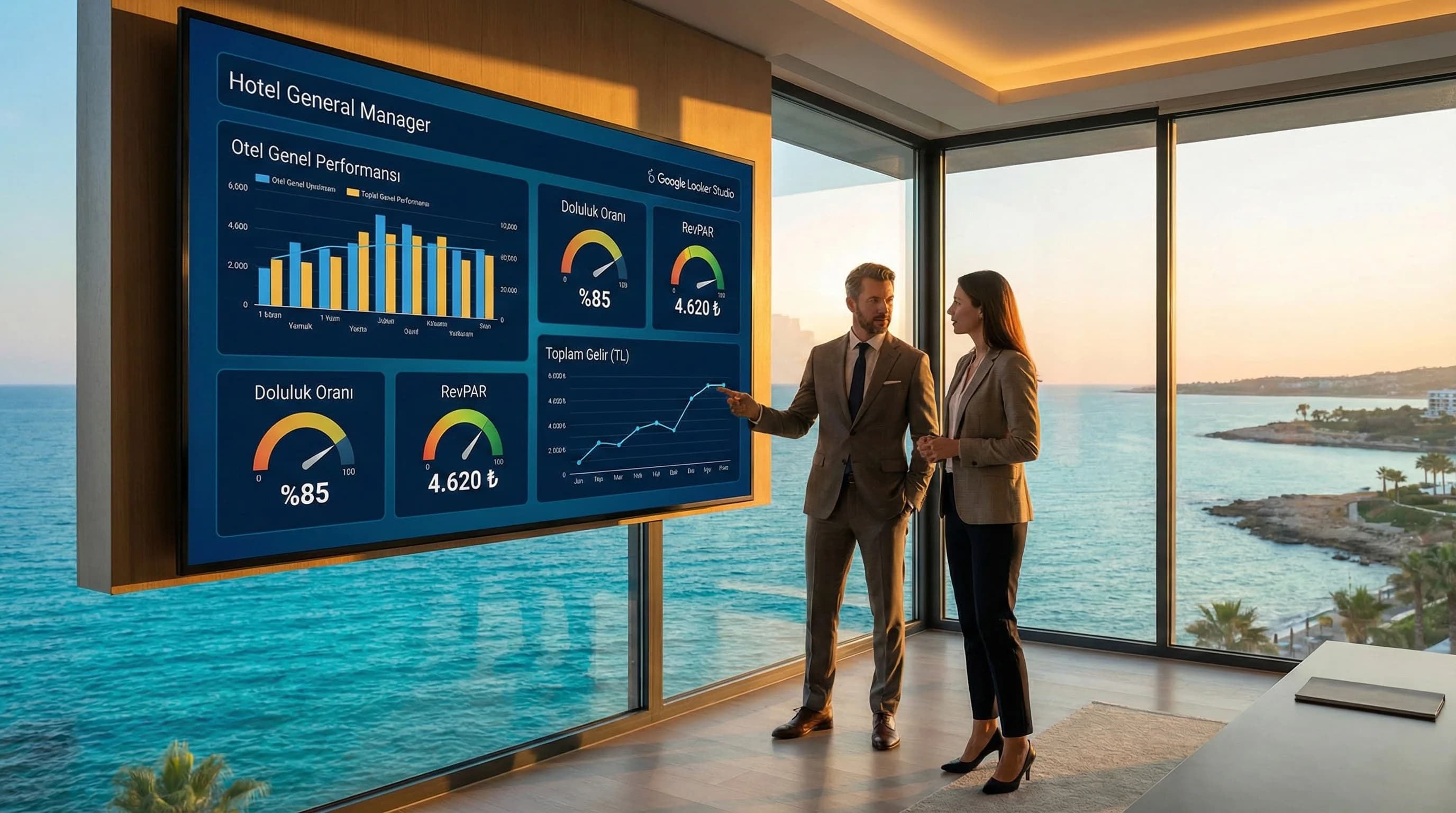
1. What is Looker Studio for Hotels and How Does It Work? Essential Guide
In this article, we will clarify 3 things: (1) What does Looker Studio do and what decisions it facilitates on the hotel side, (2) Which data sources are connected and which KPI set is ideal for the “management panel”, (3) We will set up the first dashboard step by step and connect it to the daily/weekly report routine.
2. What is Looker Studio for hotels and what does it do?
Looker Studio (formerly Data Studio) collects data from different sources in one place and turns it into readable, shareable and automatically updated dashboards. In the case of hotels, the reason for its value is not "producing reports"; It brings together the necessary signals (traffic, demand, reservation, revenue, cost) to make a decision on the same screen. Especially in destinations with high seasonal fluctuations such as Antalya, Belek, Side, Kemer and Bodrum, "what happened this week?" It becomes critical to answer the question quickly.
Short answer
- •What does it do? Gathers GA4 + advertising + organic + (if any) PMS/OTA data in a single panel.
- •Conclusion? Management reports come out in minutes instead of hours; The team speaks from the same “single source of truth”.
- •For whom? GM, sales-marketing, revenue and agency teams.
Mini example (hotel context)
The sentence "Occupancy dropped last week" would be incomplete on its own. In the Looker Studio panel, you can simultaneously approach questions such as: has the traffic source changed (organic or advertising?), has the booking conversion decreased (form/engine problem on the web), has the revenue decreased, has ADR (price/segment effect) etc. at a glance.
☑ Mini Check (1 minute check)
- • Are reports currently prepared with Excel + screenshot?
- • Is everyone saying different numbers at the GM meeting?
- • Can't you clearly answer the question "There is traffic but no reservations"?
- • If “yes” to all three, the Looker Studio panel is the first quick win.
What should I do?
- • Write down 5 questions management asks: “Why did revenue change?”, “Which channel is profitable?”
- • Choose KPIs that will correspond to these questions (occupancy, ADR, RevPAR, ROAS, etc.)
- • Target connecting GA4 + Ads + Search Console (first release)
- • Create the “Traffic→Reservation→Revenue” flow on a single page
- • Create a weekly 15-minute panel routine
3. Areas of use for hotels (based on actual questions from management)
Where Looker Studio works best on the hotel side is to show “channel-based performance” not just with metrics but with the story flow: traffic comes → conversion occurs → revenue occurs. Thus, marketing, sales and revenue teams talk on the same panel.
The 6 most common areas of use
- •Digital Performance Dashboard: SEO + Ads + social resources, on one screen
- •Reservation Funnel Tracking: visit → search → room view → reservation
- •Campaign Reports: early booking, last-minute, package campaigns
- •Market/Language Segment: TR/EN/DE/RU based demand and conversion reading
- •Reputation & Demand Signal: organic visibility + brand searches trend
- •Agency/Internal Team SLA: report routine, KPI targets, action list
Mini example (admin question → panel answer)
Question: “Advertising spend increased this month, but why didn't revenue increase?” Panel answer: If ROAS decreased → did the conversion rate decrease, did the ADR decrease, did the traffic quality decrease?
☑ Mini Check (selection of usage area)
- • Is my most urgent need a “GM report” or a “campaign report”?
- • Do I make decisions daily or weekly?
- • Is my KPI set sales (revenue) focused or demand (traffic) focused?
What should I do?
- • Start with the “GM Dashboard”: few metrics, clear story
- • Then add “Campaign Dashboard”: ROAS/CPA + conversion
- • Third stage: market/language segment + season comparison
- • Set the “owner” for each panel (who updates, who follows)
4. Data sources that can be connected (including GA4, Ads, PMS/OTA)
The ideal approach for the hotel: easily connected digital resources first, then operational resources such as PMS/OTA as needed. This enables rapid panel live and iterative development.
Essential digital resources (first release)
- •GA4: traffic, behavior, conversion events (booking/lead)
- •Search Console: organic visibility, queries, page performance
- •Google Ads: cost, clicks, conversions, ROAS/CPA
- •Meta Ads: campaign performance, cost, conversion (if applicable)
Mini example: If there is a “booking_start” event in GA4, you can associate it with the Ads campaign and show the “spending → booking_start → booking_complete” flow on the panel.
When should PMS/OTA data be added?
The point that makes a difference on the hotel side: PMS/OTA outputs talk to the panel for “revenue reality”. The initial goal for PMS/OTA integration is not “full integration”; It is to carry the basic income and occupancy summary via a standard export (Google Sheets/BigQuery/CSV).
- •Non-web booking revenue (OTA, call center) is large
- •Occupancy/ADR/RevPAR reports are dispersed in separate systems
- •“Revenue reality” discussion takes place at the management meeting
☑ Mini Check (connection preparation)
- • Are conversions correct in GA4? (reservation/lead)
- • Is there a UTM standard for ad accounts?
- • Is the weekly export format from PMS/OTA fixed? (columns do not change)
What should I do?
- • First stage: Connect GA4 + Search Console + Google Ads
- • Second stage: Add Meta Ads (if campaign intensity)
- • Third stage: Add via PMS/OTA “summary table” (occupancy, ADR, revenue)
- • Create “data dictionary” for each resource (definition/calculation method)
5. Basic KPIs and hotel dashboard structure (traffic → bookings → revenue)
The hotel panel is not the “all-showing screen”; There should be a system that accelerates the management's decision with a small but correct set of KPIs. Best practice: think of the dashboard in 3 layers: Demand (traffic) → Conversion (bookings) → Result (revenue).
Hotel KPI Set (core 10 metrics)
- •Sessions/Users (GA4)
- •Organic Clicks & Impressions (GSC)
- •Conversion Rate (GA4)
- •Bookings / Leads (GA4 / booking engine)
- •Revenue (PMS/OTA or engine)
- •Occupancy (PMS)
- •ADR
- •RevPAR
- •Ad Spend (Ads/Meta)
- •ROAS/CPA (by channel)
Mini example: If traffic increases at the beginning of the season in Bodrum, but booking conversion decreases; The problem is not marketing, most of the time it may be price/offer page or booking step friction. The panel makes this distinction quickly.
Ideal dashboard layout for “GM Panel” (1 page)
- •Top line: Revenue, occupancy, ADR/RevPAR (PMS/OTA)
- •Middle row: Reservation funnel (GA4 events)
- •Bottom line: Channel performance (Ads + organic)
Key Statistics: In most facilities, the "weekly report preparation" process is reduced to minutes instead of hours with Looker Studio; The real gain is not in the preparation of the report but in not delaying the decision.
☑ Mini Check (KPI clarity)
- • Is there a single definition for each KPI? (e.g. “reservation” from which source?)
- • Are you comparing the same period in a channel-based comparison?
- • Is “income” included in PMS, engine or OTA? clear?
What should I do?
- • Limit KPIs to 10–12 (first release)
- • Write definitions: “Where does this metric come from, how is it calculated?”
- • Prepare a 1-page GM Panel for management
- • Add detail breakdown for agency/team on the second page
| KPI | Source | What does it say? | management question |
|---|---|---|---|
| Fullness | PMS | Demand & capacity | “Why did occupancy change this week?” |
| ADR | PMS | price quality | “Is the average price correct?” |
| RevPAR | PMS | Revenue yield | “How is the revenue per room going?” |
| Reservation | Engine/GA4 | Conversion volume | “What is the trend in web selling?” |
| Income | PMS/OTA | real result | “Where does total revenue go?” |
| ROAS/CPA | Ads/Meta | Advertising efficiency | “Which campaign makes money?” |
| Organic click | GSC | SEO request | “Is organic visibility increasing?” |
6. Steps to install the first hotel dashboard (How-To)
This section is a step-by-step installation plan that takes the user to the result when searching for "what is looker studio for hotels". We kept the technical terms simple; The target is “the first working panel”.
How-To Blog — First panel in 7 steps
- •Define the goal: “GM Panel” or “Campaign Panel”?
- •Select sources: GA4 + Search Console + Google Ads (starter)
- •Determine core set of KPIs: 10–12 metrics (core set)
- •Clarify funnel events: like booking_start / booking_complete
- •Set up data model in Looker Studio: date, channel, campaign, device breakdowns
- •Design a dashboard: KPI cards at the top, funnel in the middle, channel comparison at the bottom
- •Sharing & routine: 15 minutes per week, close with “action list”
Mini example (Side / Antalya): You opened an "early booking" campaign in the season. If booking_start increases and booking_complete decreases while spending + clicks increase in the same week on the panel; Most of the time there is friction (mobile speed, price/availability, checkout step) in the booking step.
5 common mistakes (and quick solutions)
- •KPI definitions unclear → Solution: data dictionary
- •No UTM standard → Solution: campaign naming convention
- •“Revenue” source is mixed → Solution: PMS/engine distinction
- •Dashboard is too crowded → Solution: GM panel is a single page
- •No routine → Solution: weekly action meeting
☑ Mini Check (before going on air)
- • Are date filters accurate? (last 7 days / last 30 days)
- • Are the channel names consistent? (Organic, Paid Search, Paid Social)
- • Is the mobile/desktop breakdown visible?
What should I do?
- • Launch “the simplest panel that works” (MVP)
- • Then add PMS/OTA summary (revenue reality)
- • Develop iteratively based on management questions
- • Simplify panel after 30 days (remove excess)
7. Section that makes a difference - Tourism special scenarios and sample panel setups (Competitor Gap)
Competitor content often describes Looker Studio as a “general marketing report”. What makes the difference on the hotel side is that the panel combines the trio of operations + sales + marketing in the same story.
3 tourism special scenarios (short but deep)
- •Season fluctuation panel: same week last year vs this year (occupancy/ADR/RevPAR)
- •Channel mix panel: OTA + web + call center (with PMS/OTA summaries)
- •Destination/concept panel: “Belek family resort” vs “Bodrum boutique” segment difference
☑ Mini Check (scenario selection)
- • My most critical issue: demand (traffic), conversion or revenue?
- • Is my OTA weight high? (PMS/OTA summary requirement)
- • Do I make decisions without season comparisons?
What should I do?
- • First add the “Season comparison” page (very valuable for management)
- • Show OTA + web revenues in the same frame (summary)
- • Open segment/concept breakdown only when necessary (simplicity)
8. Report routine and “5 steps you can take today”
Once the dashboard is set up, the real power is not the “readiness” of the report; is the standardization of the decision routine. When Looker Studio becomes a “single source of truth” where everyone looks at the same page; Agency-hotel communication proceeds with less friction.
Daily / weekly report scenarios
- •Daily (10 min): traffic + reservation + spending control
- •Weekly (15–30 min): channel comparison, campaign impact, action list
- •Monthly (45 min): season benchmarking, target deviation, budget optimization
5 steps you can take today
- •Clarify your conversion events (booking/lead) in GA4
- •Standardize campaign names in Google Ads and Meta Ads
- •Draft a 1-page GM Panel in Looker Studio
- •Put traffic→booking→revenue flow in one screen
- •Close the weekly meeting with an “action list”
☑ Mini Check (routine)
- • Are there 3-5 actions taken at the end of the meeting?
- • Will the results of the actions be seen on the panel next week?
- • Is panel ownership clear? (who is looking, who is updating)
What should I do?
- • Connect the panel to the “decision meeting” (produce action, not reports)
- • Proceed to other reporting areas with internal links: SEO/Ads/SMM report pages
- • Review the KPI set and panel layout once a year (Refresh 365)
- • Strengthen revenue reality by adding the PMS/OTA summary in the second stage
Bir Sonraki Adım
Let us simplify your existing reports and quickly establish the right KPI set and panel architecture for your hotel.
Frequently Asked Questions
What is Looker Studio and what does it do for hotels?▾
How do I install the Looker Studio dashboard for my hotel?▾
What data can I connect to Looker Studio?▾
How to use Looker Studio to track hotel KPIs?▾
Is it necessary to connect PMS/OTA data?▾
What happens if the dashboard gets too crowded?▾
Is Looker Studio free?▾
How often should I update the management report?▾
İlgili İçerikler